Understand the breadboard before you wire anything.
A breadboard is a reusable way of joining components together. Once you understand which holes are internally connected, every later Arduino circuit becomes much easier to read and troubleshoot.
What you need
- Arduino UNO or compatible board
- Solderless breadboard
- 5–10 jumper wires
- USB cable
- Optional multimeter with continuity mode
Goal: be able to point at any two breadboard holes and predict whether they are electrically connected.
The three parts of a breadboard
Terminal strips: in the main area, groups of five holes are usually connected together. The row on one side of the centre trench is separate from the row on the other side.
Centre trench: the gap down the middle separates the two halves. DIP integrated circuits are designed to straddle this gap.
Power rails: long columns marked + and − are intended for supply voltage and ground. Many breadboards split these rails halfway along, so never assume the whole rail is continuous without checking.
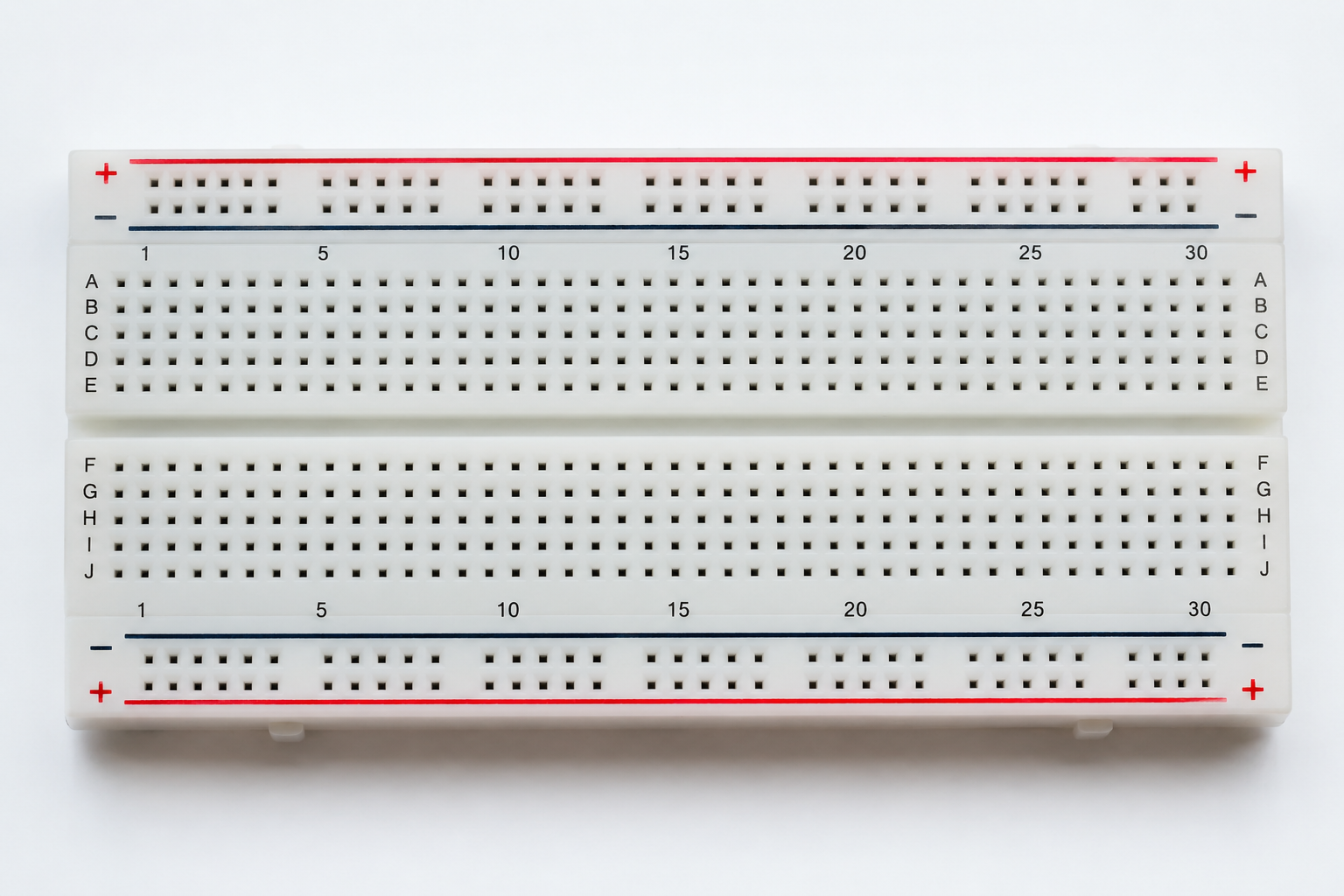
A real breadboard at a glance
Use this full breadboard view to orient yourself before looking at the simplified connection diagram below. The lettered terminal rows, numbered columns, red positive rails, blue negative rails and centre trench are all visible.
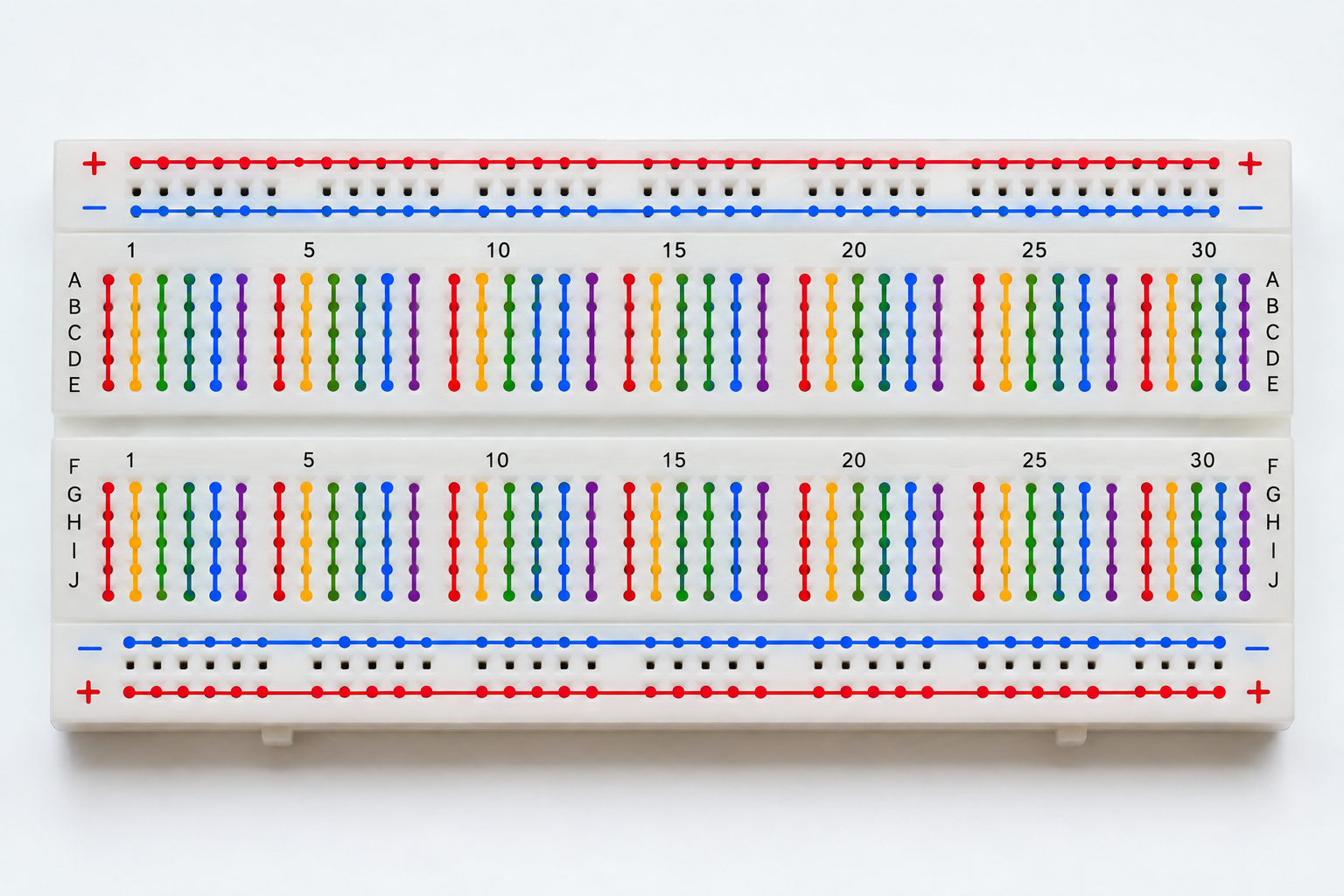
How the breadboard holes are internally connected
The coloured lines below show the hidden metal connections. Each vertical group of five holes in the main terminal area is connected together, while the long red and blue power rails run horizontally.
Connect the Arduino power rails
- Keep the UNO disconnected from USB while you build.
- Run one jumper from an Arduino GND pin to the breadboard blue/− rail.
- For later lessons, run a jumper from Arduino 5V to the red/+ rail.
- Reconnect USB only after checking that 5 V and GND are not directly connected.
Tactile buttons and the centre gap
A common four-leg tactile switch contains two internally connected pairs. Placing the switch across the breadboard centre trench keeps the two sides separate until the button is pressed. This becomes important in Lesson 2.
Challenge before moving on
Use a multimeter in continuity mode, if available, and test ten pairs of breadboard holes. Predict the result before touching the probes. If every prediction is correct, you understand the breadboard well enough to begin the LED lesson.
See what to build first from a starter kit → or follow the beginner projects in order →