Meshy AI Review
Is It Worth It for 3D Asset Creation?
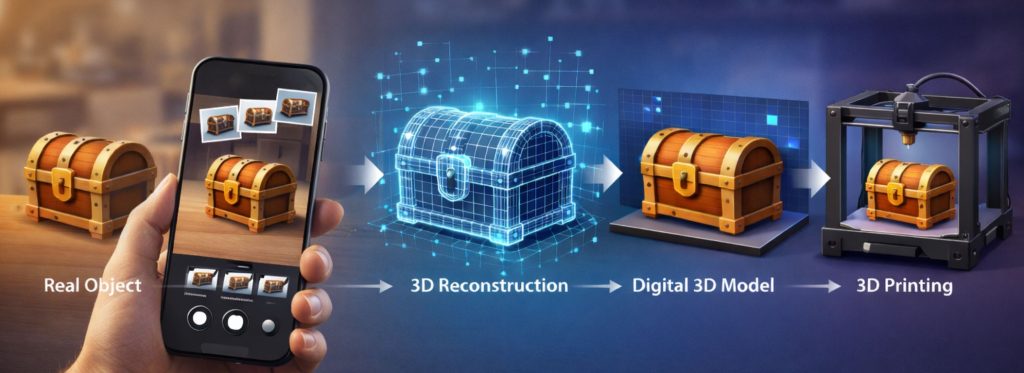
If you’re working with 3D models, game assets, or AI-assisted design tools, you may have come across Meshy AI.
But, is it actually useful, or just another AI tool with big promises?
In this review, we’ll break down what Meshy AI does, who it’s best for, its strengths and weaknesses, and whether it’s worth trying.
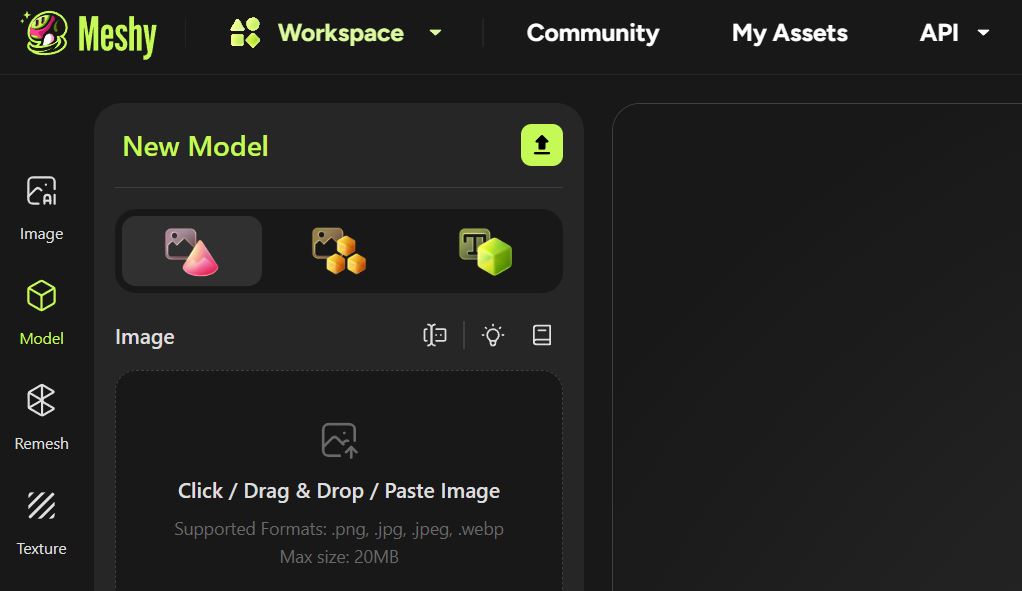
What Is Meshy AI?
Meshy AI is an AI-powered 3D generation tool that creates models from text prompts or images.
Instead of manually modelling assets in Blender or other 3D software, users can:
- Generate 3D models from text
- Convert 2D images into 3D meshes
- Export assets for use in game engines
- Create stylised or realistic assets quickly
It’s designed to speed up workflows for game developers, indie creators, designers, and hobbyists.
Key Features
1. Text-to-3D Generation
Enter a prompt and generate a usable 3D model.
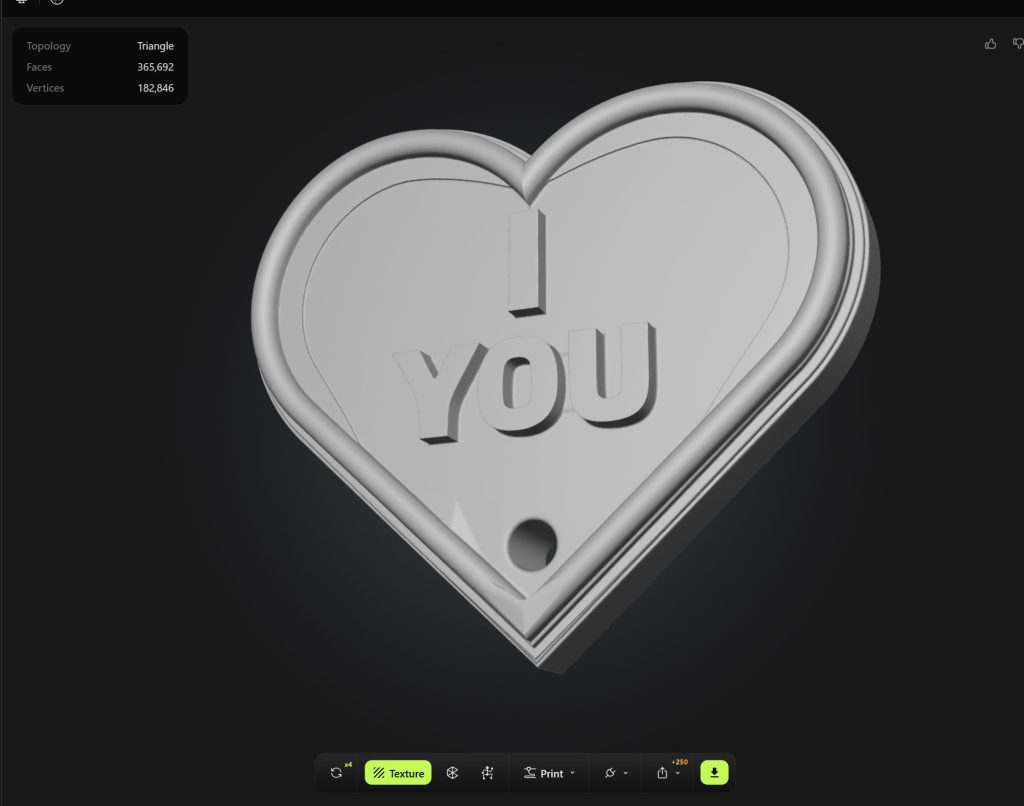
Example prompt “A heart shaped keyring, with “I YOU” in the middle” yields a highly detailed and crisp model, that is totally usable on the first attempt!
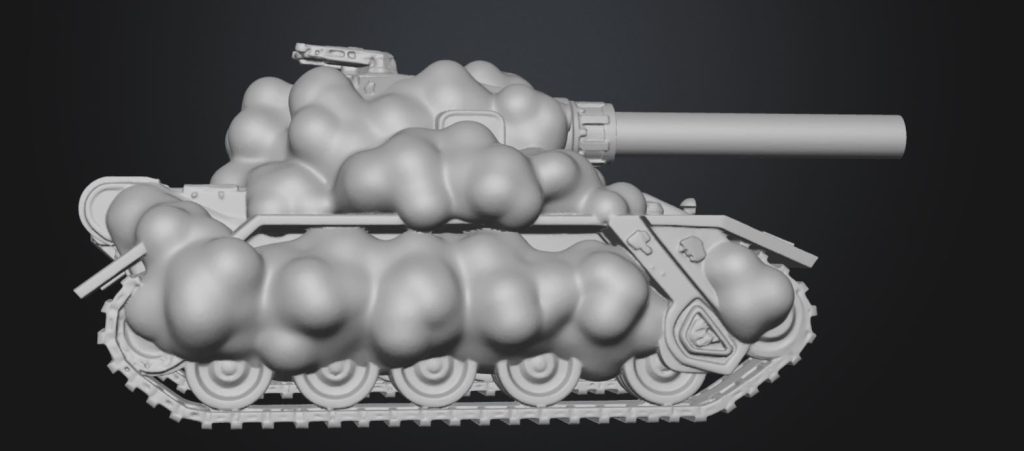
a second more challenging prompt, “Generate me a futuristic battle tank, where we can see a cannon, but the armour is clouds”… yields
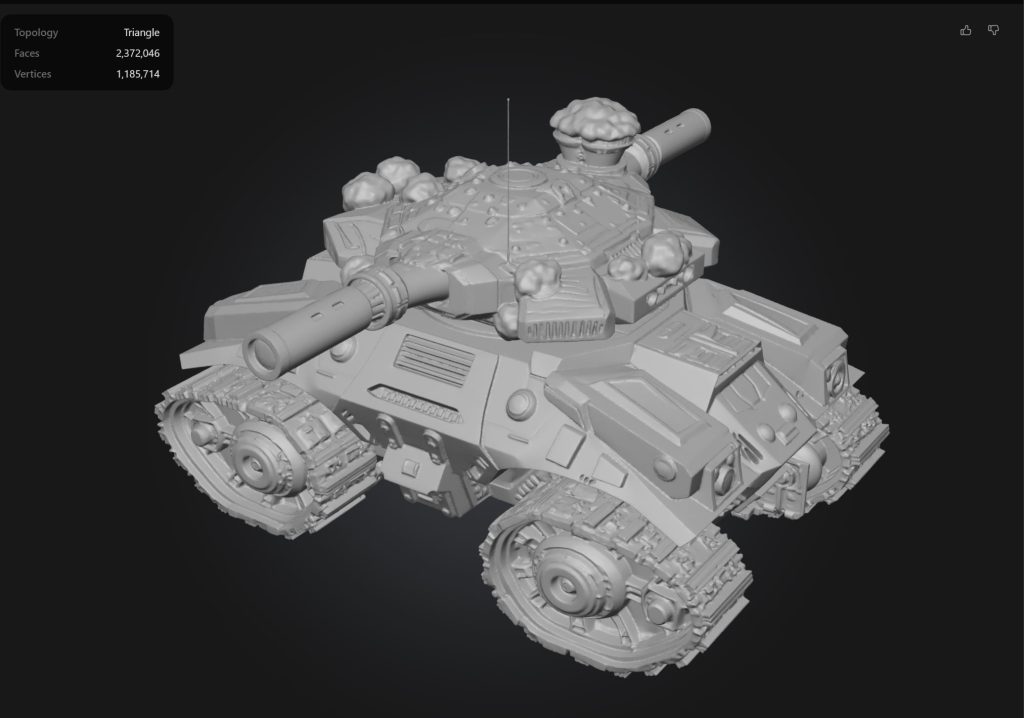
the result is again highly detailed from all sides, features interesting quad-track design, and twin opposing turret? However, we are missing our main cloud element. If we are completely fair, we do see some cloud like elements, and with a free regeneration and improved prompts, we get….
2. Image-to-3D Conversion
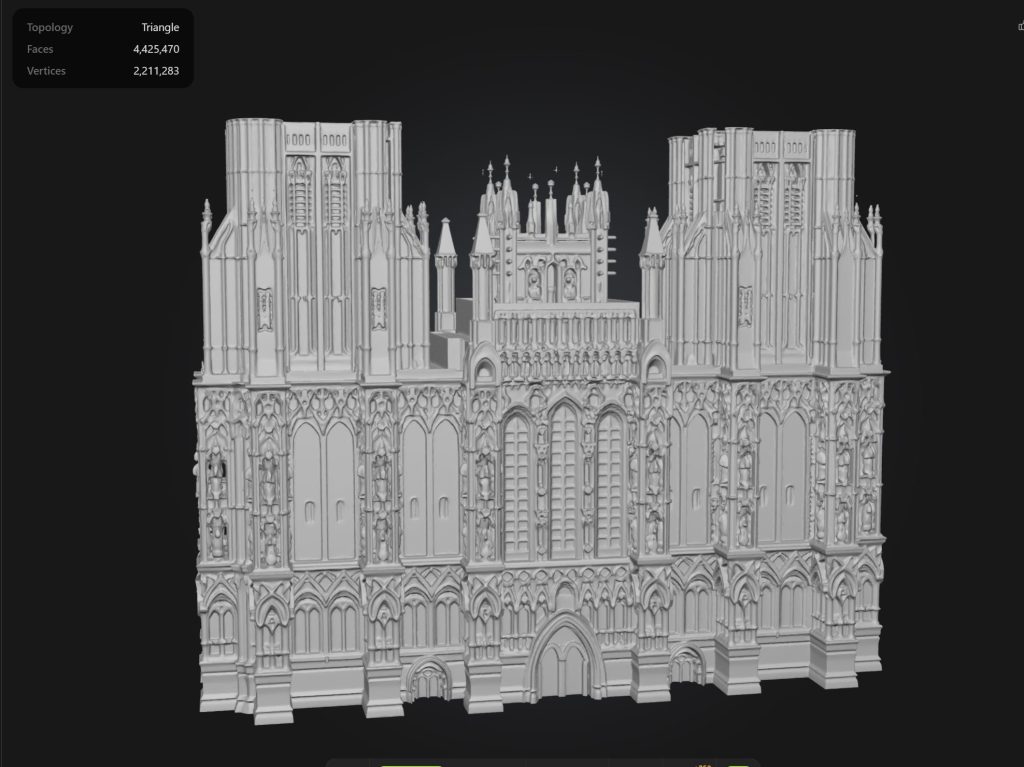
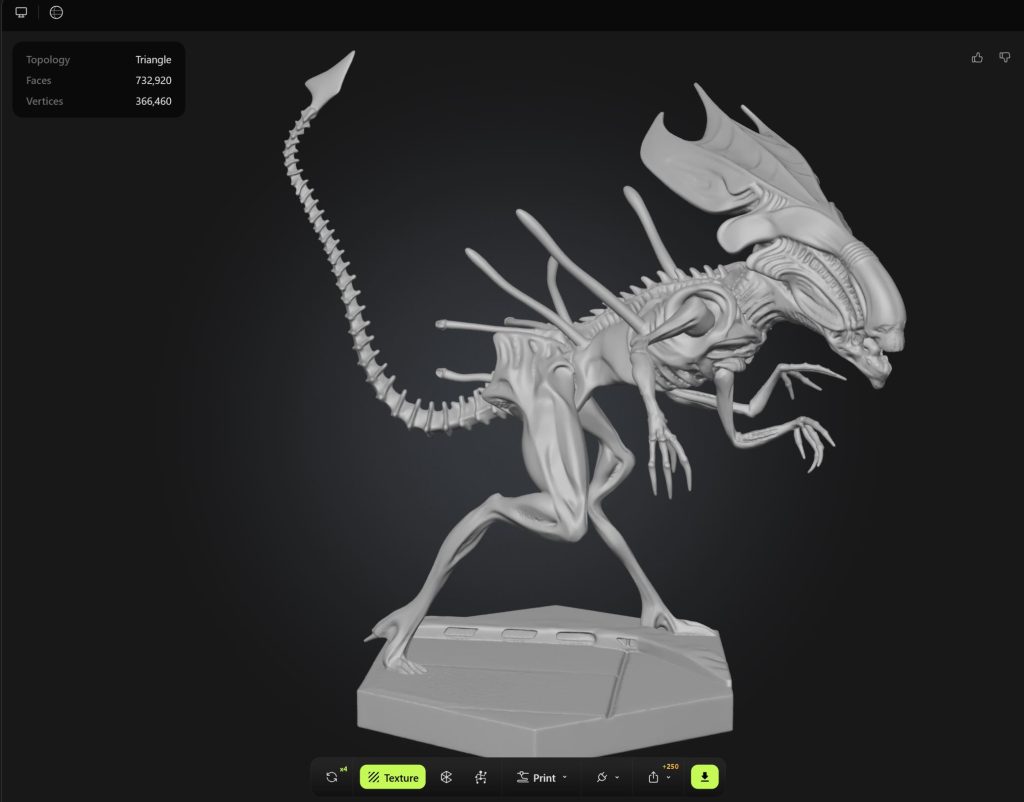
This is where Meshy really excels, and we have seen real improvements in recent updates! A simple forward facing shot can return excellent results!
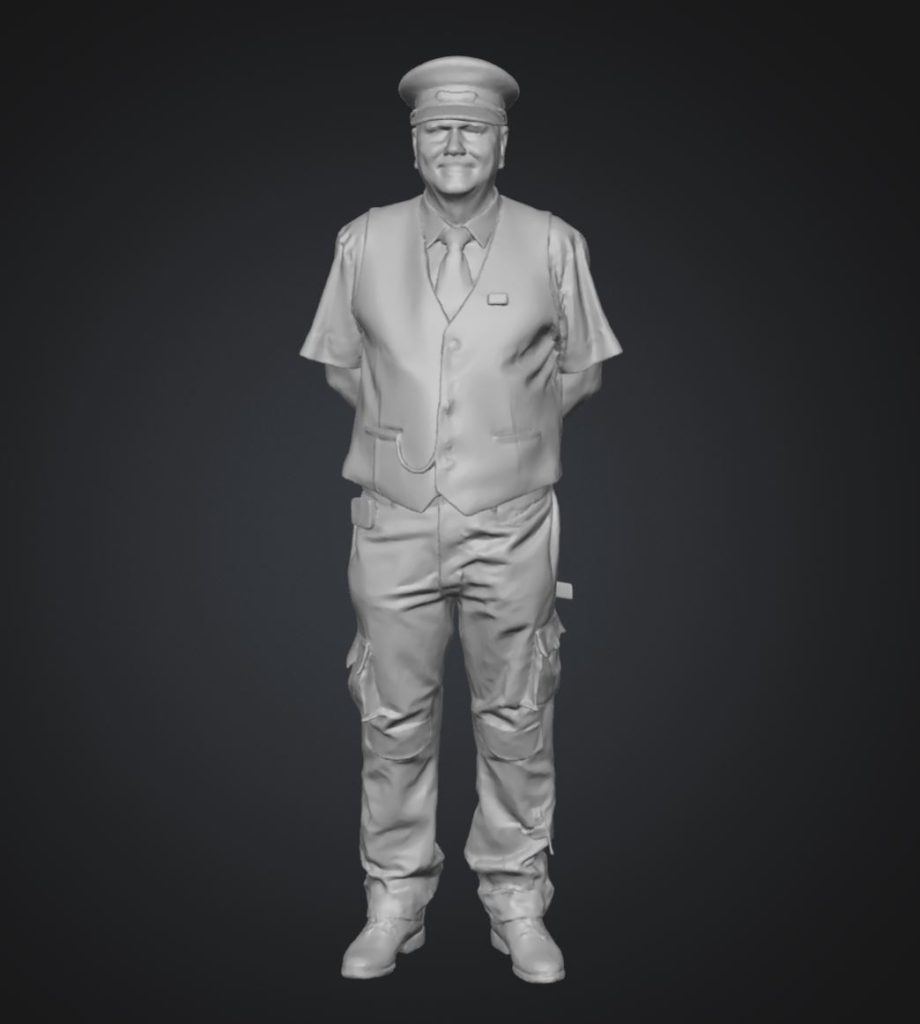
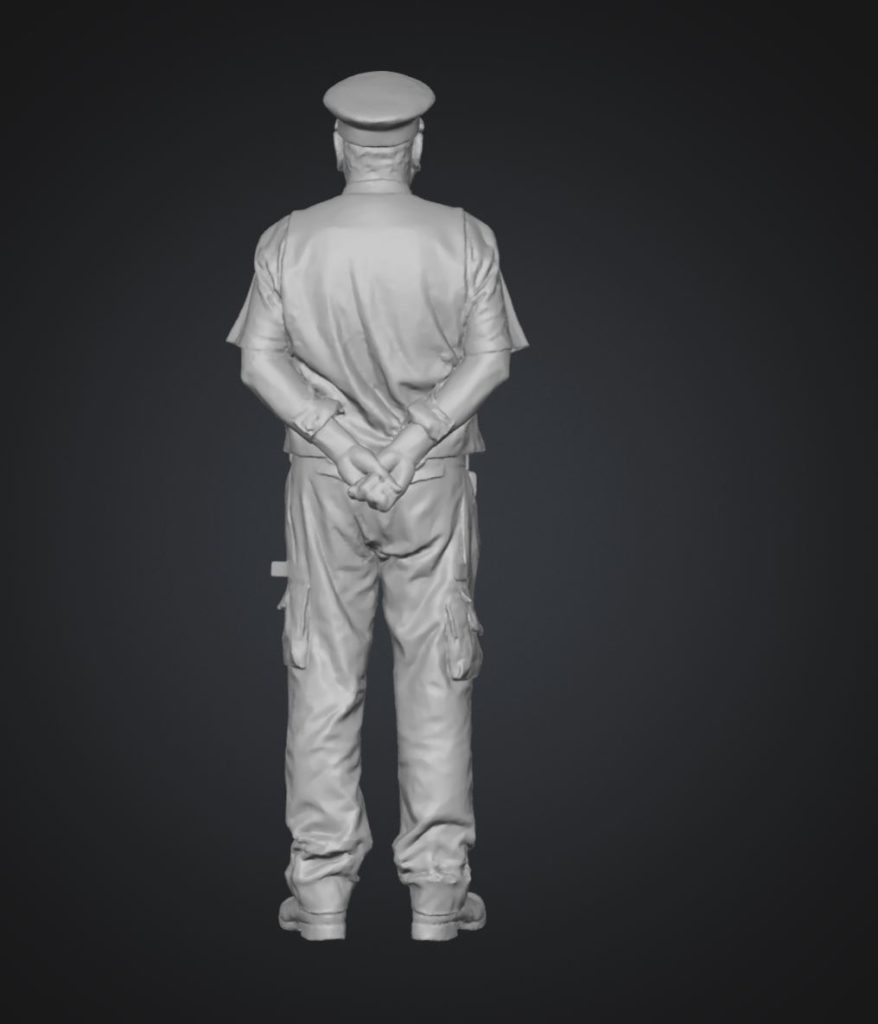
What’s most impressive here is the imagination used in generating the rear of the model. Only a single front image was provided, and while the face is 4/10 match overall, generally the model is totally usable, and well formed. 7.5/10.
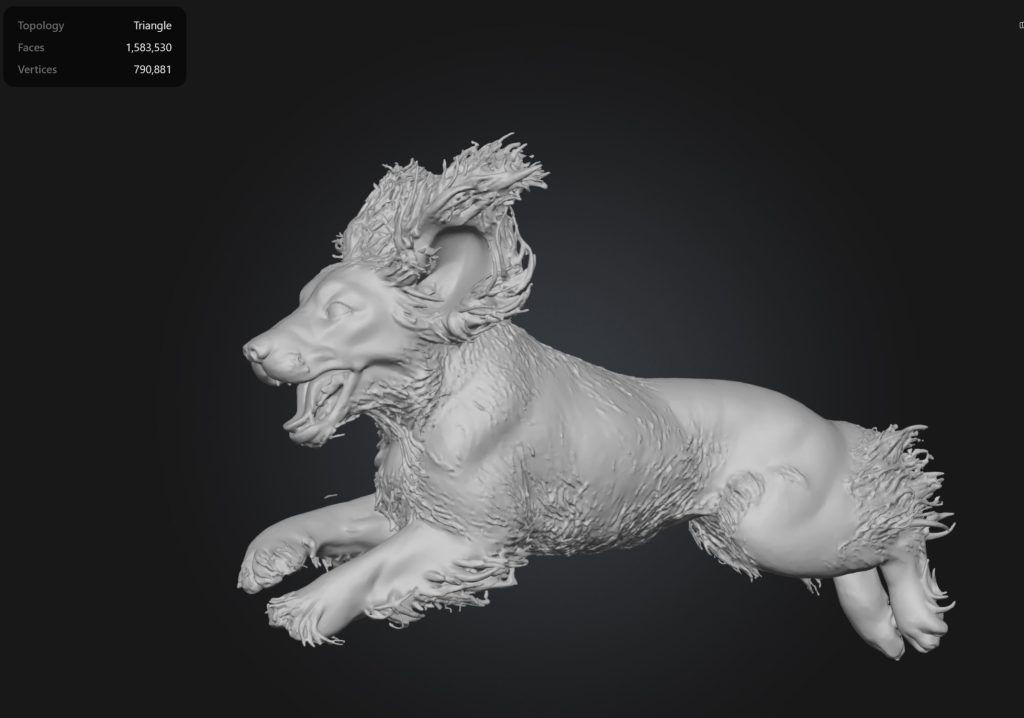
We also tried…
3. Export Options
Assets can be exported in standard 3D formats for use in popular tools and engines. Formats include .fbx .stl .obj .glb .3mf .blend .usdz
One issue experienced was the sheer size and complexity of the files. Most exceed the limits of software such as tinkerCAD, however they can be simplified using appropriate workflows.
We found all model to be solid / watertight ,with hardly any issues that needed repairing, other than reducing size, complexity and supports prior to printing to a standard FDM or SLA printer of your choice.
4. Fast Iteration
You can generate multiple variations quickly, which is useful for prototyping. Models generate surprising quick, with even the most complex designs often completing in less than 60 seconds! Impressive!
5. Cost
At the time of writing, Meshy allowed a couple of free generations on initial sign-up, but I quickly found myself entering a paid tier of use. Now I wouldn’t normally attempt to justify more outgoings, but I like many others, have recently found a new wave of subscriptions showing up on my monthly outs.
I do attempt to justify these now costs as follows:
Does this AI achieve something I cannot currently do?
Well I don’t know about you, but it would take a very log time to produce those models as seen above!
Could it possibly save money? It depends on your use case, but say if you are designing modeling parts, or gaming figures, this could very rapidly result in big savings!
Finally, AI uses a lot of resources. If I am rending high definition graphic, my machine runs hot, burns more power, and is also un-usable. To render these models, would also take considerable effort, therefore, we are essentially outsourcing considerable workload, for a cost… but how much?
Well, each generation shown above, currently costs 20 credits (2026), I paid $16 for 1000 credits – therefore, each generation comes in at $0.32.. I’ll let you decide if that’s good value for money. At the end of this article is a link to Meshy AI, by using that link, you will help sponsor this article, and the creation of more.
Pros
- Speeds up asset creation
- Beginner-friendly
- No deep modelling knowledge required
- Useful for prototyping
Cons
- May require refinement
- Not always production-ready
- Output quality varies by prompt
Who Is Meshy AI Best For?
Meshy AI works best for rapid prototyping, concept work, indie development, and side projects.
If you’re building production-grade assets, treat it as a starting tool rather than the final step.
Is Meshy AI Worth It?
If your goal is speed and experimentation, Meshy AI can reduce modelling time significantly.
If you need highly detailed assets, you’ll likely still need manual cleanup and refinement.
Try Meshy AI
If you’d like to experiment with AI-generated 3D models:
Disclosure
This page contains affiliate links. If you purchase through our links, we may earn a commission at no extra cost to you.