Make an LED obey your code.
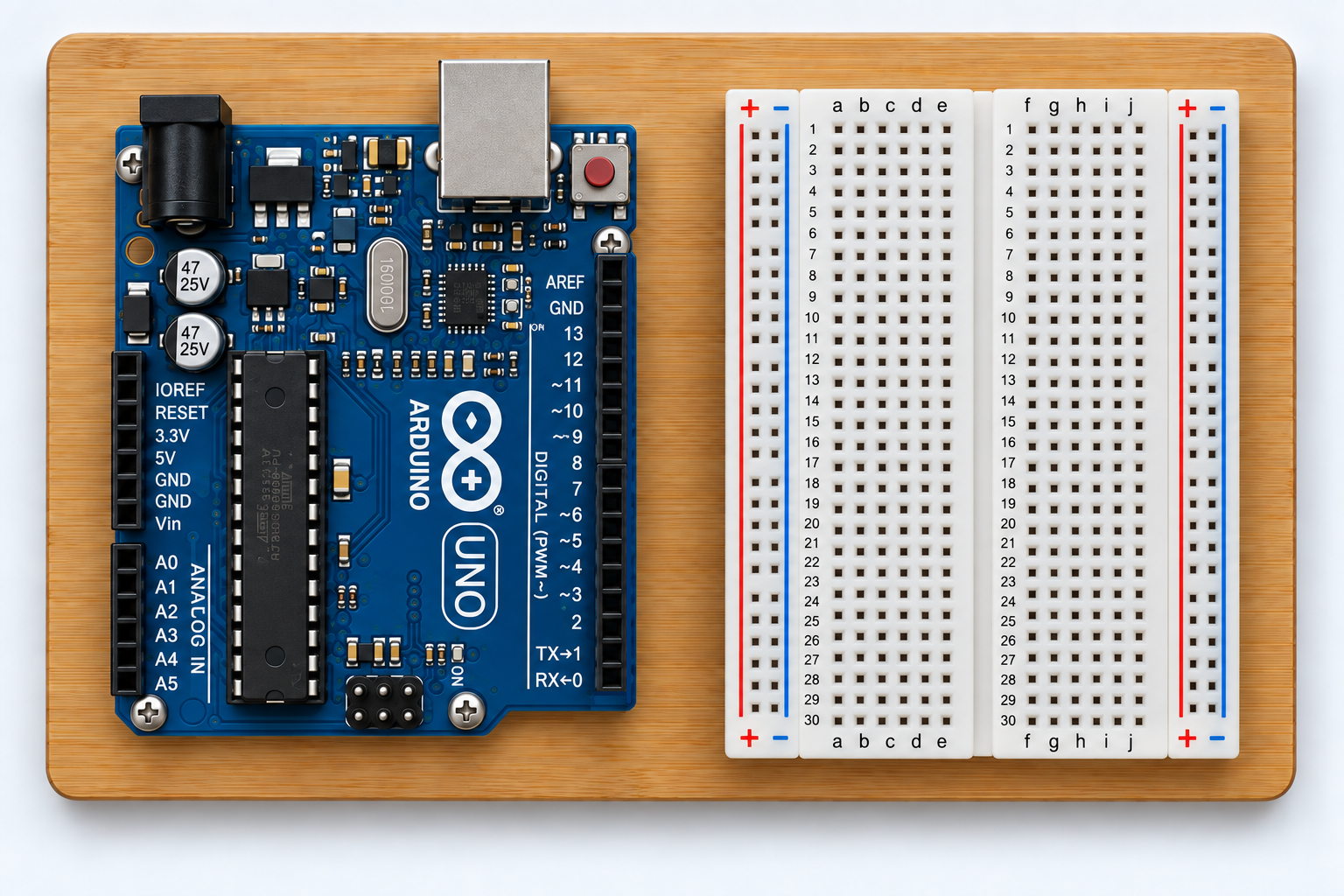
This is the first complete Arduino circuit. You will wire an external LED on the breadboard, switch it on and off from a digital pin, and understand exactly what pinMode(), digitalWrite(), HIGH, LOW and delay() are doing.
What you need
- Arduino UNO
- Breadboard
- 1 LED
- 1 × 220–330 Ω resistor
- 2–3 jumper wires
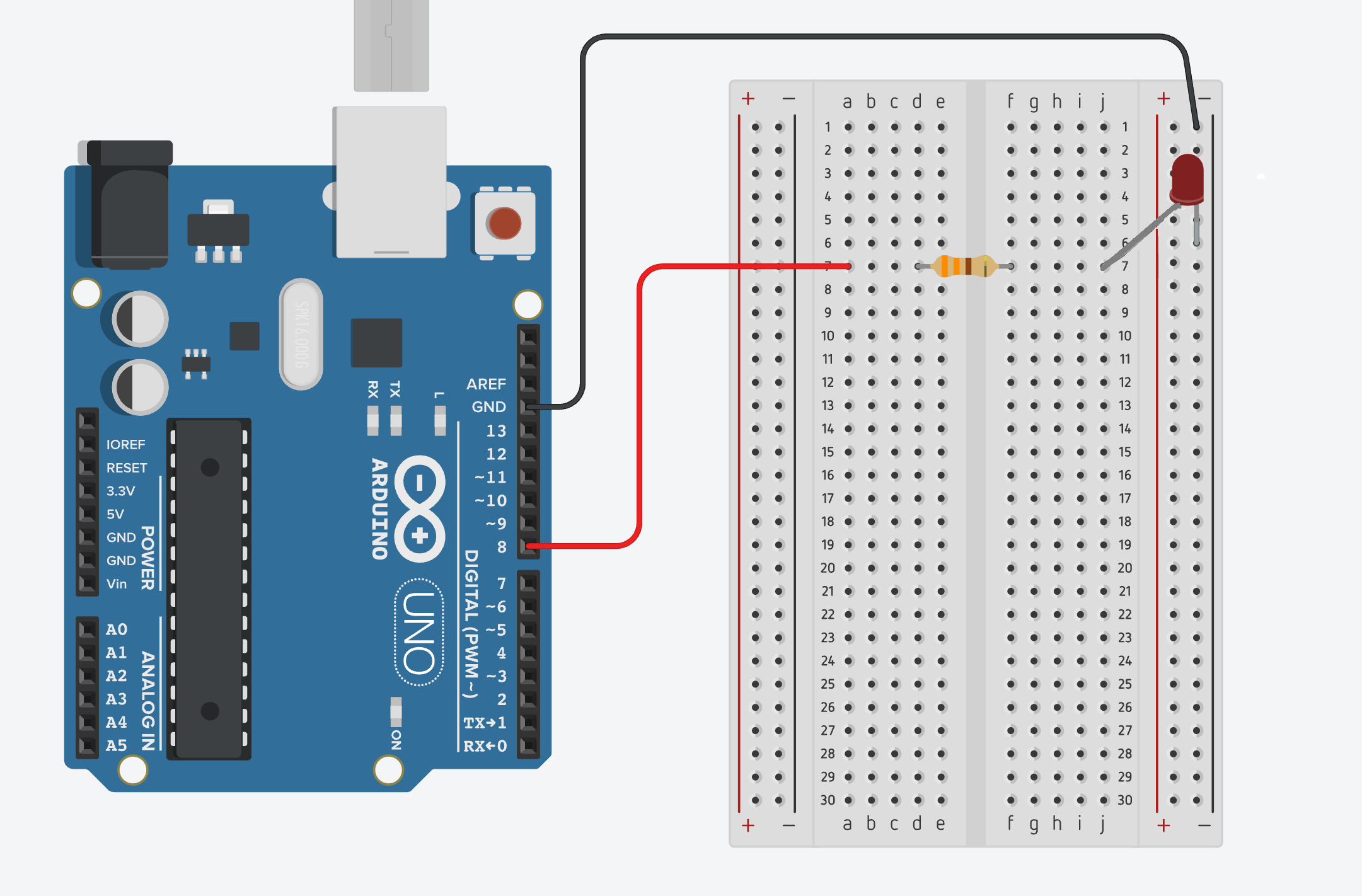
Goal: blink an external LED from digital pin 8, then change the timing yourself.
Wire the LED
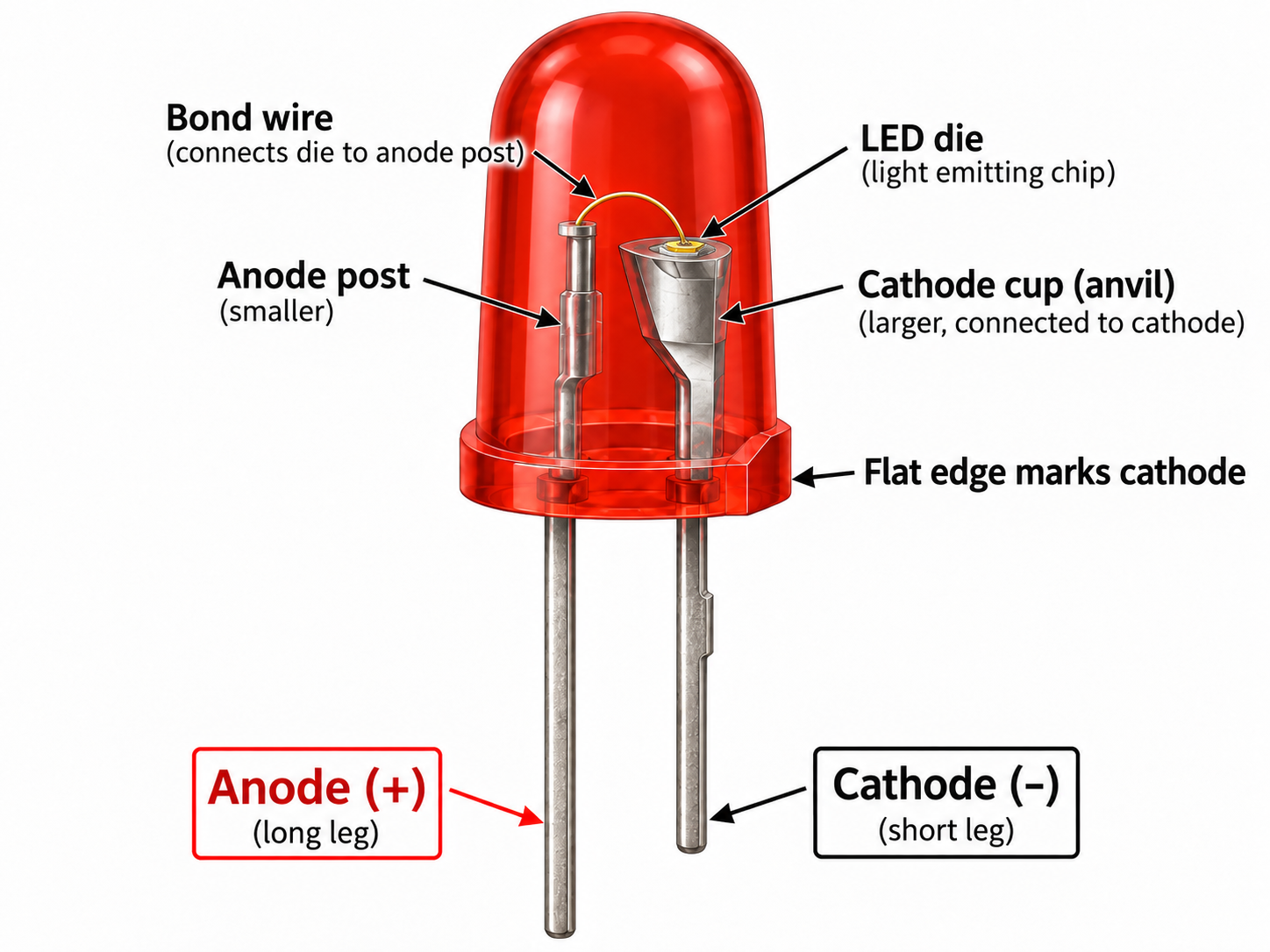
An LED is polarised. The longer leg is normally the anode (+); the shorter leg and flat edge on the package identify the cathode (−). The resistor limits current and protects both the LED and Arduino pin.
Your first sketch
const int ledPin = 8;

void setup() {
  pinMode(ledPin, OUTPUT);
}

void loop() {
  digitalWrite(ledPin, HIGH);
  delay(1000);

  digitalWrite(ledPin, LOW);
  delay(1000);
}
Read the code like an instruction sheet
const int ledPin = 8; gives pin 8 a useful name. setup() runs once and configures that pin as an output. loop() repeats forever. digitalWrite(…, HIGH) drives the pin high, and LOW drives it low. delay(1000) pauses for 1000 milliseconds.
The UNO R3 also has a built-in LED associated with digital pin 13, but using an external LED here teaches the breadboard and current-limiting resistor at the same time.
Experiments
- Change both delays from 1000 to 250. Predict the result first.
- Make the LED stay on for 100 ms and off for 900 ms.
- Move the wire from pin 8 to pin 7 and change only one line of code.
- Add a second LED on pin 9 and try alternating them.
Challenge
Without copying another sketch, make the LED flash a repeating pattern: short, short, long, then pause. If you can do that, you understand digital outputs and delay well enough to move on.
See exactly what to learn next → or follow the full beginner project order →